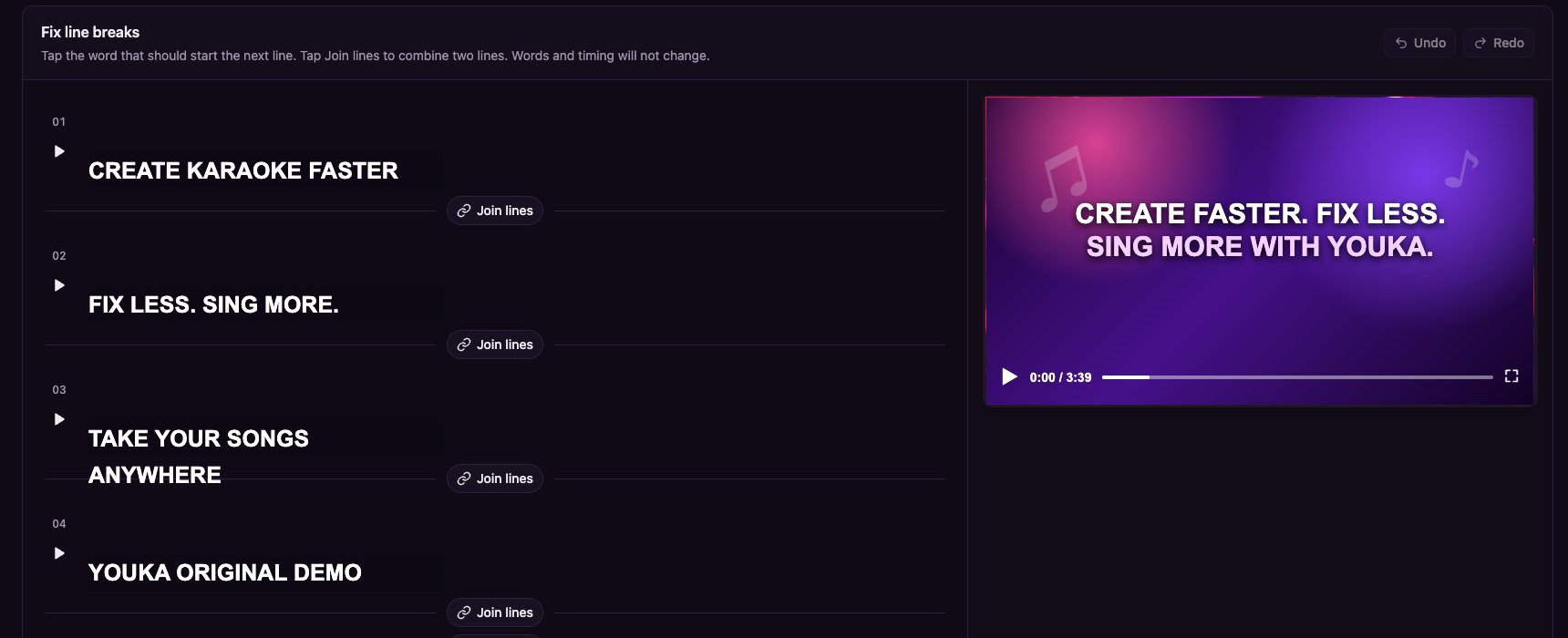
The Fix line breaks editor keeps the video preview beside the exact timed lyric lines.
Open the editor
- Open a completed Project in Studio.
- Select Fix line breaks beside Manual Sync.
Start a new line
Select the word that should begin the next line. Youka moves that word and every word after it into a new line while preserving the existing word timing. Use the play button beside a line to preview that exact boundary before you continue.Join two lines
Select Join lines between two adjacent lines. Youka combines their words into one timed line. If the result is too long for the current design, the editor shows May wrap on screen so you can choose a better split point.Undo, redo, and finish
- Select Undo or Redo to review your recent line-break changes.
- Select Done when the grouping looks right.