
Steps to cancel
1
Open your profile menu
In Youka Desktop, click your profile icon in the top-right corner.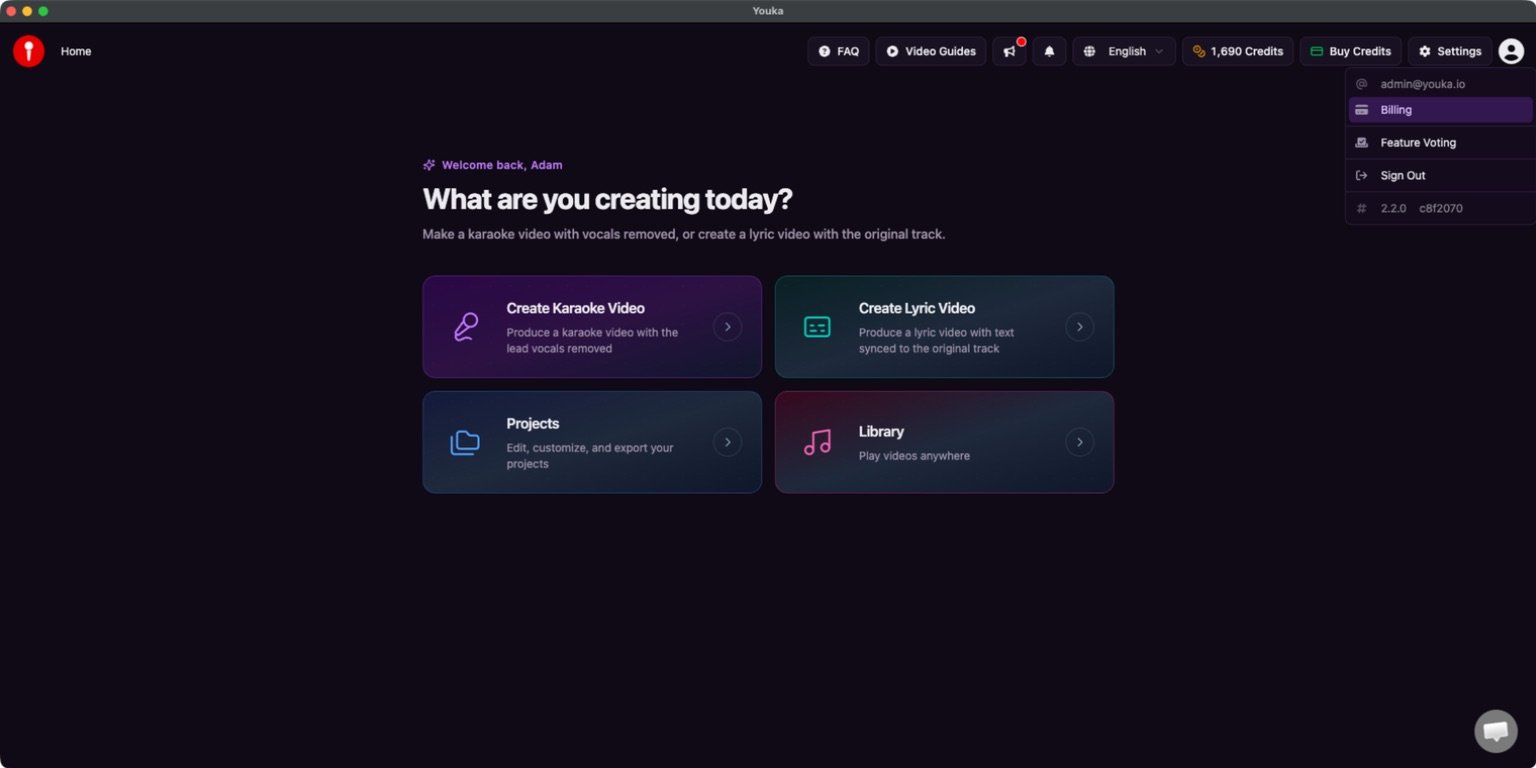
2
Open Billing
Select Billing. The Stripe billing portal opens in your browser.
3
Choose Cancel subscription
Find your active plan and select Cancel subscription.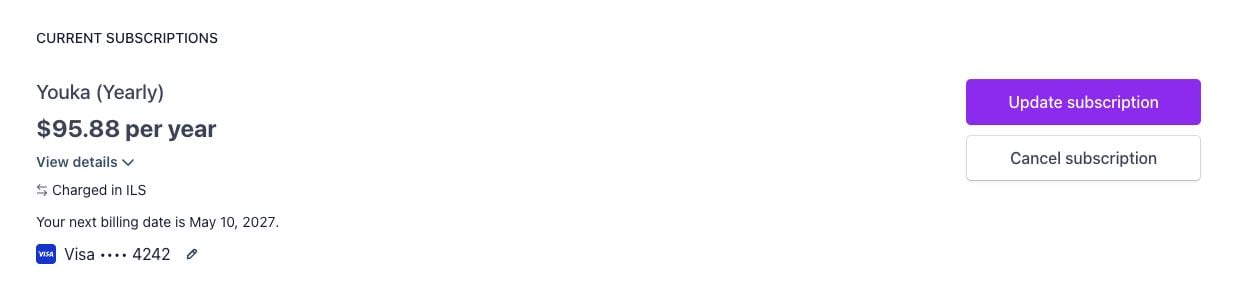
4
Tell us why you are leaving
Choose a reason, then select Continue to cancellation.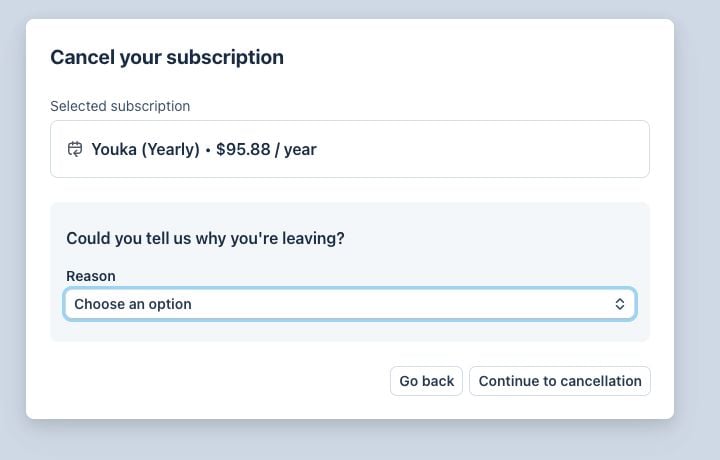
5
Confirm the cancellation
Review the date shown by Stripe. Select Cancel subscription to turn off
automatic renewal.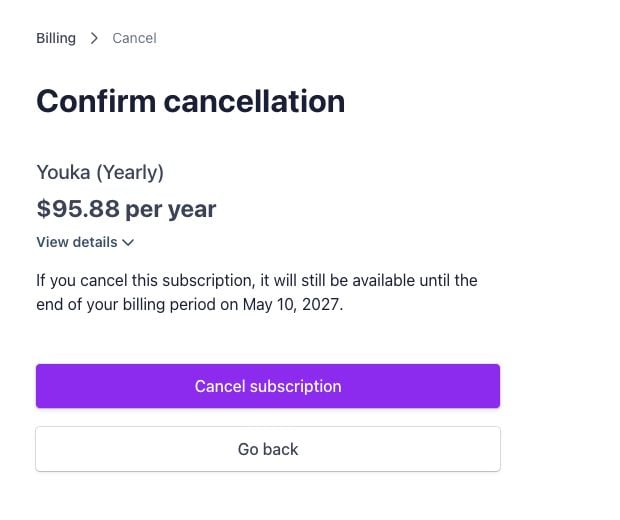
After cancellation
- Your plan stays active until the end of the current billing period shown by Stripe.
- You will not be charged for another billing period.
- Credits already issued keep their existing expiration dates. Monthly subscription credits are normally valid for 60 days from the date they were issued.
- Your projects and library are not deleted.
Youka Desktop is the legacy app. You can also use
Youka Online in your browser.